02 · Our product
superviewer
A desktop viewer that opens AI-generated images, HTML, video and docs the moment they're made
- Started
- 2026.06
- Type
- Our product
- Our role
- Product, Desktop app
- Stack
- Tauri, React, MCP
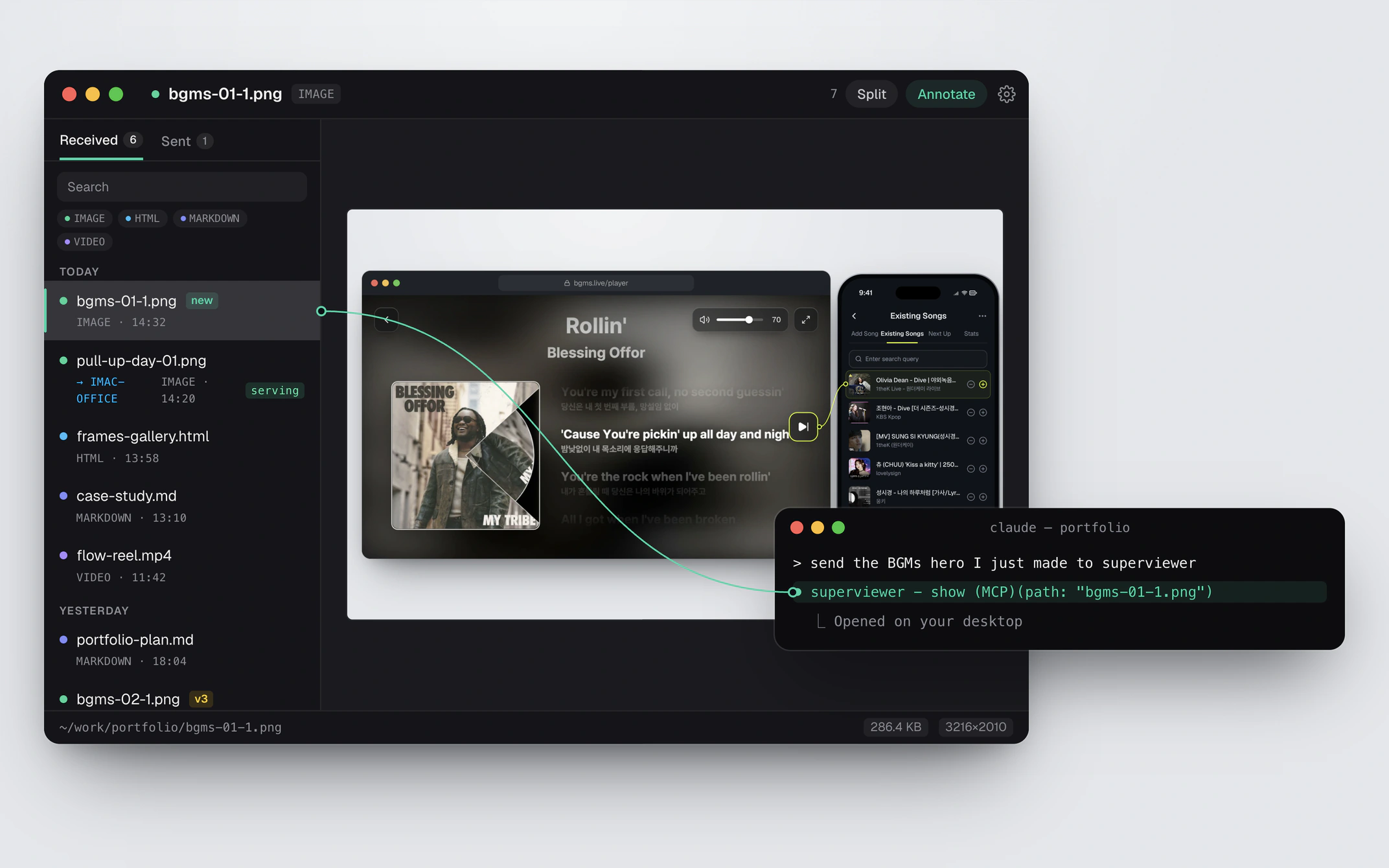
When an AI agent makes a screenshot, chart, HTML page or video, superviewer puts it on your desktop the moment it's ready. You don't open Finder or a browser tab. You mark up what's wrong, and the agent reads the notes when you ask it to.
01
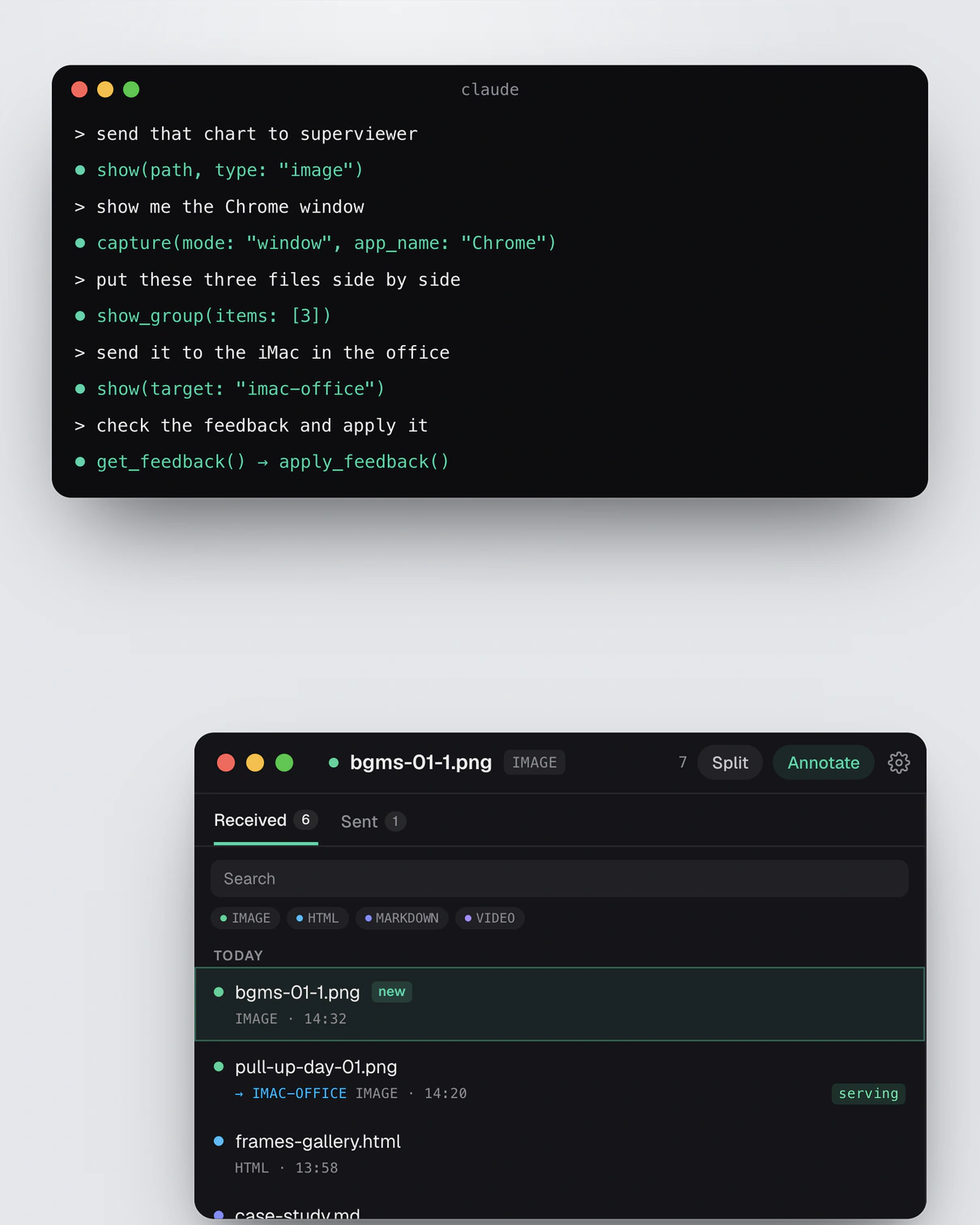
You ask in plain words
There's no command to learn. You say it the way you'd say it to a person, and the agent sends the result to your screen.
02
Point at what's wrong
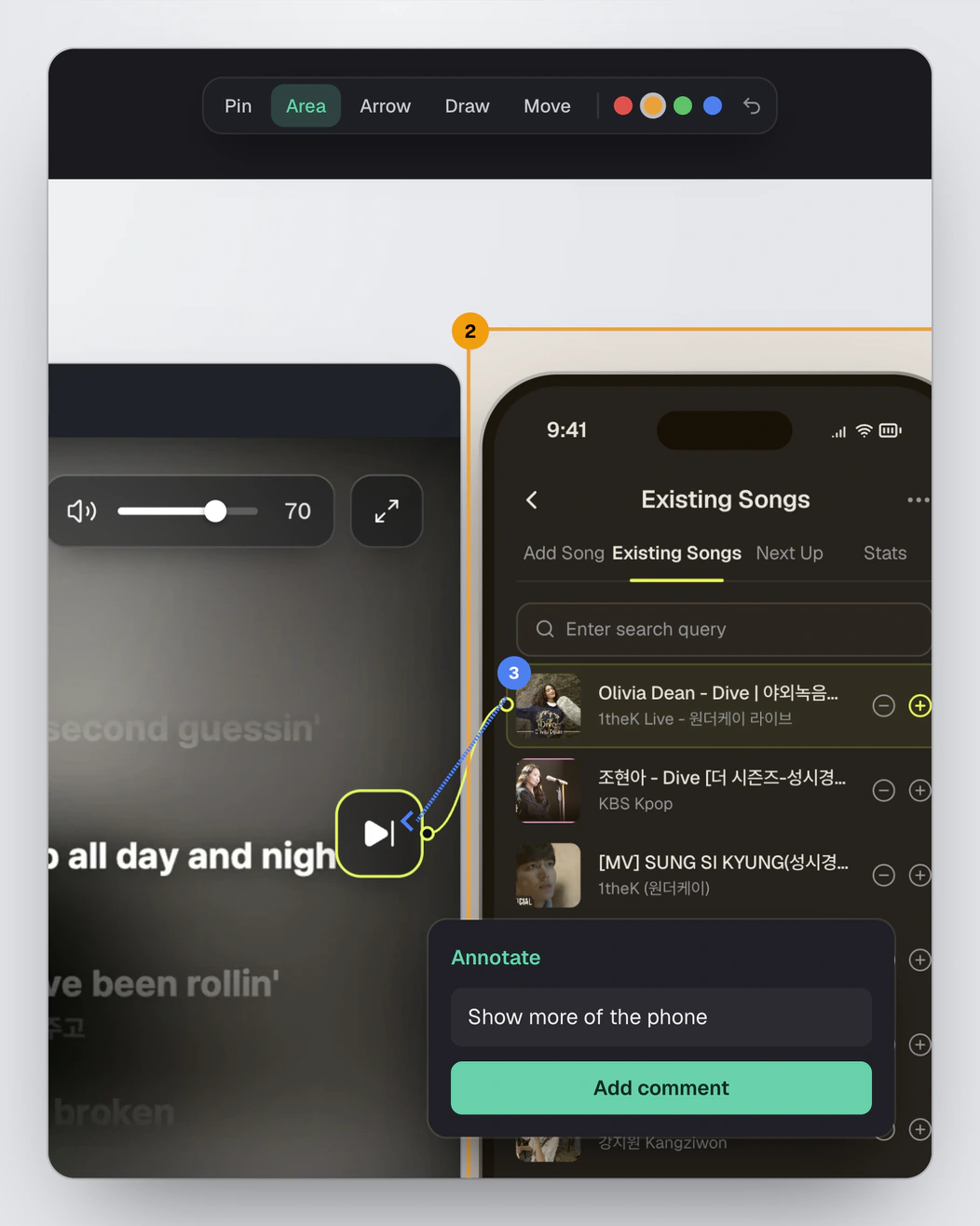
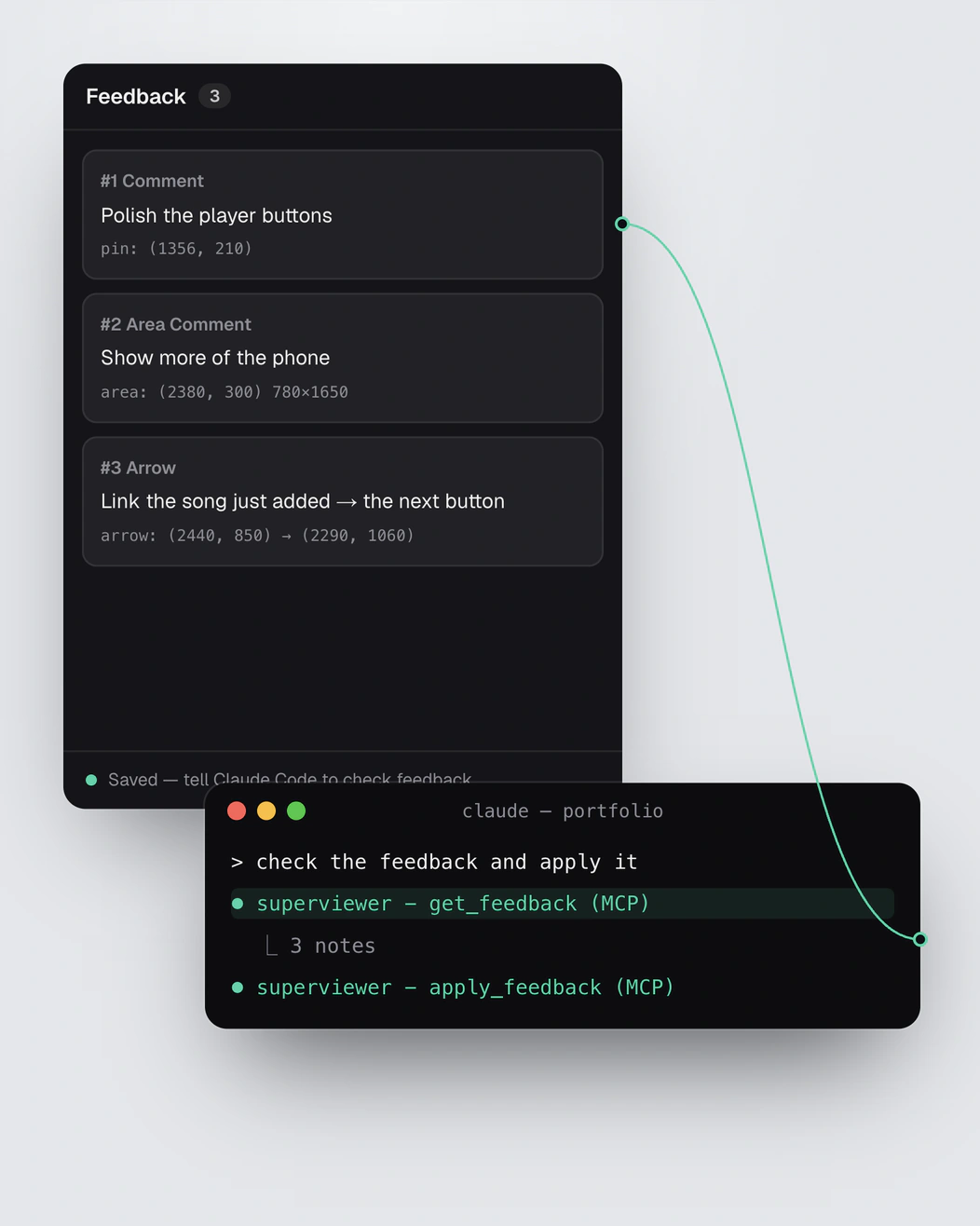
Drop a pin, drag a box or draw on the render, then type the note right there. Ask the agent to check the feedback and it works through the notes one by one.
03
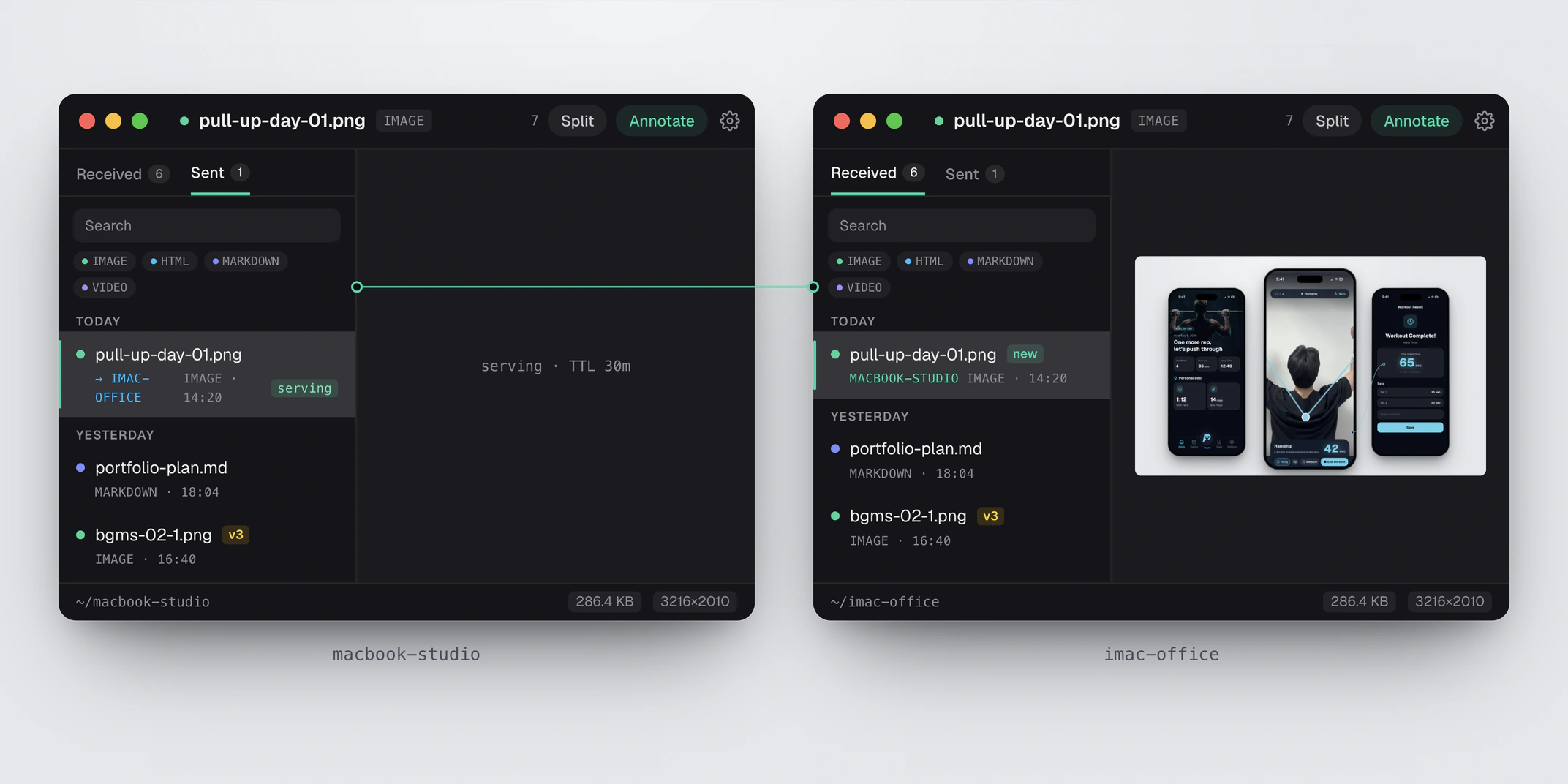
Every machine sends and shows
Send a render to any computer on your network over Tailscale or LAN. There's no central server and no account, and every render lands in a searchable history.